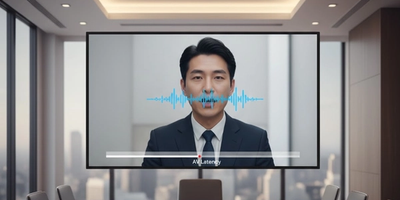
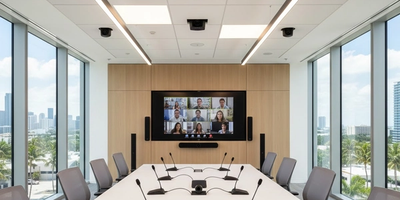
Many teams invest in displays, microphones, and conferencing tools, yet meetings still begin with audio issues, connection delays, or display errors. These common conference room technology mistakes add up, turning productive discussions into technical distractions. The real problem usually isn’t the equipment itself but how it is designed, integrated, and maintained.
By addressing a few key setup issues, businesses can transform their meeting spaces into reliable, professional environments that support collaboration instead of slowing it down.
1. Camera in the Wrong Spot
One of the most frequent conference room problems is poor camera placement. When cameras are mounted too high, too low, or off to the side, remote participants feel disconnected and disengaged.
Fix it:
Position the camera at eye level and centered toward the main seating area. For larger rooms, intelligent tracking cameras provide even better results. A deeper look at this is covered in Professional Camera Placement in Meeting Rooms, which explains how proper angles dramatically improve meeting presence.
2. Microphones Placed Incorrectly
Audio issues derail meetings faster than anything else. Microphones placed too far away or unevenly across the room lead to dropped voices, echo, and inconsistent sound quality.
Fix it:
Distribute microphones evenly or use ceiling or table arrays designed for balanced voice pickup. Businesses comparing options often benefit from reviewing Ceiling Mics vs Table Mics, which breaks down how placement affects clarity and coverage.
3. Ignoring Room Acoustics
Even premium microphones cannot overcome poor room acoustics. Glass walls, hard floors, and untreated ceilings reflect sound and create echo, making voices harder to understand.
Fix it:
Incorporate acoustic treatments such as panels, carpeting, or sound absorbing materials. Understanding Room Acoustics Explained helps teams recognize how physical space directly impacts meeting quality.
4. Complicated Controls
A conference room should not require IT support to start a meeting. Multiple remotes or confusing interfaces frustrate users and delay collaboration.
Fix it:
Simplify operations with unified control systems that manage audio, video, lighting, and displays from a single interface. Offices that implement Control Systems and Lighting Integration consistently see faster meeting start times and fewer disruptions.
5. Skipping Professional Configuration
Factory settings are rarely optimized for real world conference rooms. Without professional configuration, systems often suffer from audio imbalance, camera framing issues, and network instability.
Fix it:
A professional setup ensures microphones are tuned, cameras are aligned, and all systems work together seamlessly. Businesses often start with Commercial AV Consultation Services to prevent costly mistakes before they impact productivity.
The Pattern Behind Every Bad Meeting
Most meeting issues come from small oversights rather than major failures. A slightly misaligned camera, poorly placed microphone, or confusing control panel can quickly break focus. When these details are handled correctly, meetings feel effortless and professional.
A well designed conference room is not about expensive equipment. It is about thoughtful integration that supports communication instead of interrupting it.
Ready to Fix Your Conference Rooms?
If meetings start late, audio sounds unclear, or your team avoids using the room technology, it is time for an upgrade.
Schedule your Conference Room Assessment with Support305. We proudly serve businesses across Miami, Fort Lauderdale, and Palm Beach, helping teams create conference rooms that work smoothly every time.
Book your assessment today and turn your meeting spaces into productive collaboration hubs.